


How to Undo Plugin Updates in WordPress?
WordPress is a great platform to build websites and blogs, and one of the advantages of using WordPress is that it allows you to easily update plugins. However, sometimes updates can cause unexpected issues or break existing functionality. Instead of restoring your entire site from a backup, if you have one, you can save time by simply rolling back your plugin update version. If you don’t have a WordPress maintenance package and need to resolve this on your own, here is how to do it.
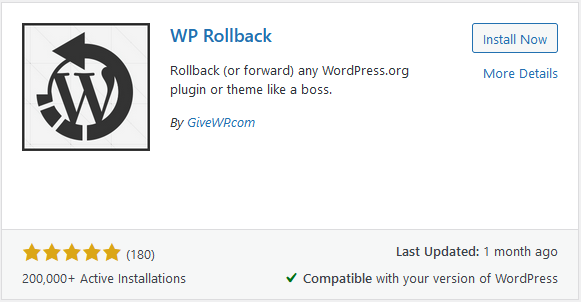
Step 1: Install WP Rollback Plugin
TheWP Rollback Plugincan be a lifesaver. Most developers and webmasters who manage WordPress sites use this plugin to quickly and easily rollback to previous versions of plugins. It will help you take a look at the plugins one by one and pinpoint exactly which one caused your site to break.
Step 2: Roll It On Back
Once you have the plugin installed, start the process of rolling back each update that you recently performed until your website is functioning normally. Now that your site is back up and running, you can continue to update plugins, EXCEPT the one that caused the issue.
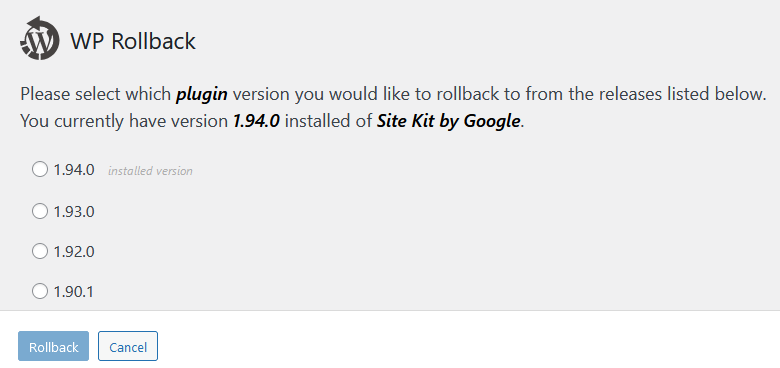
Step 3: Find A Solution
This step can be tricky. Unless you are working with webmaster or have a website maintenance package, you will need to reach out to the plugin developer to find a solution. Unless this is a popular plugin, it sometimes takes time for a patch to fix the problem, or even get a response back from developers. Until you find a solution the best thing you can do is keep the plugin at its current version, so it doesn’t continue to give you problems.
The WP Rollback Plugin is one of those that we consider a “must have” for any WordPress website. While this plugin will save you time, why not look at ourwebsite maintenance packagesso you can focus on what matters most, your business, and we can focus on keeping you up and running.